- +8801958220802
- contact@coderstrust.global
আপনার গ্লোবাল ক্যারিয়ার প্রসপেক্ট ও আয় বাড়িয়ে নিন মাত্র ১ সপ্তাহেগ্রামীণফোন একাডেমিতে কোডার্সট্রাস্টের প্রফেশনাল সার্টিফিকেট কোর্সগুলো করে, সম্পূর্ণ বিনামূল্যে।


আপনার গ্লোবাল ক্যারিয়ার প্রসপেক্ট ও আয় বাড়িয়ে নিন মাত্র ১ সপ্তাহেগ্রামীণফোন একাডেমিতে কোডার্সট্রাস্টের প্রফেশনাল সার্টিফিকেট কোর্সগুলো করে, সম্পূর্ণ বিনামূল্যে।
- +8801958220802
- contact@coderstrust.global
Home > Courses > Digital Business > Graphic Design with AI
Graphic Design with AI
Master Graphic Design with Adobe Illustrator, Photoshop & AI
This course is perfect for aspiring graphic designers looking to master Adobe Illustrator and Photoshop, along with integrating AI tools into the design process. Learn to create professional logos, business cards, flyers, posters, and more through hands-on sessions. Starting from the basics, you’ll explore essential tools, work on real-world projects, and develop experience in professional design skills. You’ll also dive into the world of AI design, enhancing your workflow and creativity.
By the end, you’ll have a strong portfolio and the skills needed to launch your career in graphic design, whether in a job or as a freelancer.
By the end, you’ll have a strong portfolio and the skills needed to launch your career in graphic design, whether in a job or as a freelancer.
Enroll Now
Acquire a skill and become job-ready with professional certifications
-
 58 Hours
(Live Online)
 58 Hours
-
87 Hours
(On-Campus)
 87 Hours
-
29 Classes
(Live Online)
 29 Classes
-
29 Classes
(On-Campus)
 29 Classes
-
Instructor-Led
-
Online/On-Campus
 Instructor-Led
 Online/On-Campus
Share this course
- Master Graphic Design with Adobe Illustrator and Photoshop
- Create Stunning Designs with AI and Adobe Tools
- Hands-On Learning with Real-world Projects
- Develop skills for real career growth
- Learn from experts active in their field
- Learn by working on real-world problems
- Structured guidance ensuring continuous learning
Key Features
- Earn a Professional Certificate from CodersTrust to validate your skills and enhance your career prospects
- Master graphic design tools like Adobe Illustrator and Photoshop with hands-on projects
- Introduce the use of Artificial Intelligence (AI) in design using tools like Leonardo AI, Microsoft Designer, and Adobe Firefly
- Specialized classes on freelancing platforms like Fiverr, Upwork, and Freelancer to help you onboard into freelance marketplace
- Self-branding and Client Communication sessions to enhance your communication skills and effectively promote yourself in the job market as a Graphic Designer
- Encourage creative thinking, design sense, and problem-solving skills through assignments and exams
- Enable students to confidently deliver client-ready designs and understand client handling & marketplace strategies
- Interactive live classes, available both on-campus and online, are offered in weekday or weekend cohorts to suit your schedule
Tools Covered
What You'll Learn
By completing this course, you will:
- Master Adobe Illustrator and Photoshop for professional graphic design
- Create stunning designs like logos, business cards, flyers, and banners
- Develop advanced skills in vector tracing, photo retouching, and image manipulation
- Design for both print and digital media, including packaging and social media content
- Learn to design and present portfolios with real-world projects
- Gain expertise in AI tools for enhancing and upscaling designs
Learning Path
- Introduction
- Sharing Course Outline
- Software Intro & Install
- Workspace setup
- Workspace Introduction
- Type Tool
- Working with Shape and Pen tool
- Six Command and Panel Intro
- Working with color, Copy & paste
- Shape Builder & Path finder
- Object-Path (A to Z)
- Width tool and Rotate tool
- Alignment
- Create Simple Business card
- Minimalist Business card design
- Corporate businesscard design
- Design Principles
- Typography
- Color Theory
- Brand Identity Design Details
- Envelope and Letterhead Design
- Assignment 01
- Flyer / Trifold Brochure Design
- Font & Color Selection
- Flyer/ Trifold Brochure Design
- Assignment 02
- Social Media Post
- Social Media Banner
- YouTube Thumbnail
- Assignment 03
- Logo Design
- Letter Mark and Wordmark
- Logo Design Concept Development
- Technology and Vintage
- Label Design
- Packaging Design
- Dieline Design
- Assignment 04
- Billboard Design
- Rollup Banner
- Assignment 05
- Tshirt Design (Typography & Custom Graphic)
- Assignment 06
- Final Project Submission
- Portfolio Create & Design Upload
- How to brand yourself as a Graphic Designer
- Introduction to Fiverr
- Creating A Fiverr Account
- Fiverr Gigs Creation Techniques
- Fiverr Tips and Tricks
- Design Principles
- Typography
- Color Theory
- Introduction to Photoshop
- Document setup (Photoshop units, bit, resolution & color mode)
- Photoshop Interface
- Selection Tools mastery
- Background removal technique
- Layer panel details
- Retouching Tools
- Patch and Transform
- Alignments
- Layer Group, Smart Object, Opacity
- Layer Style details
- Assignment 07
- Type, Shape and Pen tools
- Layer mask & Layer Adjustments
- Smart Object
- Product Mockup creation
- Client ready Presentation
- Image Manipulation
- Brush tool
- Blending Mode
- Dodge, Burn and Sponge Tools
- Assignment/Home Work 11
- Motion Graphic Basics
- Motion Graphic In Photoshop
- Social Media Post with motion
- Layer Mask Details
- Creating BG and Add Text Style
- Color Grading / Adjustments
- Project Submission
- Introduction to Canva AI
- Creating Static Design With Canva
- Video Editing with Canva
- Motion Graphic With Canva
- AI tools in Canva
- Final Project Submission
- Introduction to Upwork
- Upwork Account Creation
- Arranging Profiles
- Writing a Proposal
- How to make project in Upwork
- Advanced Tips and Tricks
- Introduction to Freelancer
- Freelancer/PPH Account Creation
- Arranging Profiles
- Writing a Proposal
- Details about the marketplace
- Advanced Tips and Tricks
- How to communicate with buyer
- Hidden tips to get order from buyer
- How to work for buyer
- Delivery work to get great feedback
- How to receive payment from buyer
- Real Work Description From Buyer and Solve (20 Jobs)
- What is Artificial Intelligence (AI)?
- How to use AI to enhance images
- How to write better AI prompts
- Use of ChatGPT
- How to get better results from AI
- How can I use AI for work in marketplace
- Image generation by prompt using AI
- Image generation and update from image using AI
- Create design using AI by prompt
- Image to text conversion
- Using of Leonardo AI
- Using of Adobe Firefly
- Using of Google AI
Who Will Benefit
The course is tailored to empower:
- Aspiring designers keen on mastering graphic design tools
- Students or fresh graduates who are interested in creative fields
- Digital marketers seeking to enhance their marketing efforts
- Freelancers aiming to thrive in the design market
- Entrepreneurs looking to create impactful marketing materials
- Creative enthusiasts passionate about versatile design projects
- Anyone interested in learning AI-powered design tools and techniques
Skill Level
- Beginner
Eligibility
To enroll in this course, participants should meet the following eligibility criteria:
- SSC/HSC or equivalent qualification
- Basic IT literacy
- Age: No specific age limit
Prerequisite
- Basic knowledge of PCs, MS Windows, internet and online proficiency
- A computer or laptop with a minimum of 8 GB RAM (recommended)
- Basic knowledge of English (reading, writing, speaking)
Develop Your Knowledge and Skills for a Successful Career
Earn a certificate and get ready for your dream job!
Training 1.5M+ Learners and Professionals in 15+ Countries

Build Your Future!
Enroll in CodersTrust Digital Skills courses and get globally accepted certifications.
Frequently Asked Questions
This course is designed for beginners to intermediate learners who want to dive into graphic design, whether for personal projects, freelancing, or career advancement. It’s perfect for those interested in creating logos, branding materials, social media content, and digital illustrations.
No prior experience is required. This course starts from the basics of design and gradually moves into more advanced techniques, making it suitable for both beginners and those with some experience.
You will gain expertise in:
- Adobe Illustrator and Photoshop tools, including vector and raster design techniques
- Creating professional designs like logos, business cards, flyers, brochures, and social media content
- Mastering photo editing, retouching, and manipulation to enhance your design projects
- Developing branding concepts and digital illustrations for real-world applications
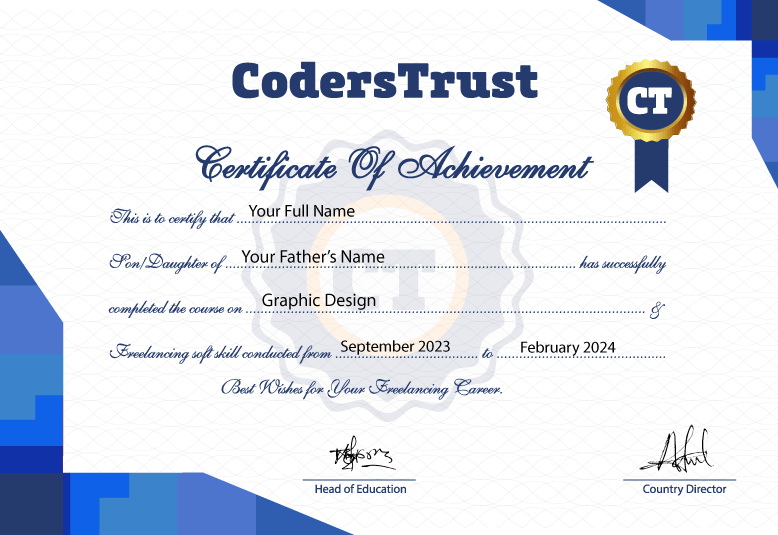
Yes, upon completing the course, you’ll receive a certificate that validates your graphic design skills and can help you secure job opportunities or freelance projects.
The course primarily focuses on Adobe Illustrator and Photoshop, along with key design principles, digital art, and branding techniques.
We offer flexible learning options with on-campus and online classes. You can choose between weekday sessions (2 sessions per week, 3 hours each) or weekend sessions (1 session per week, 4 hours each).
Yes, you will have the skills to work as a freelance graphic designer or apply for full-time roles in branding, design, and marketing.
We offer career support including interview preparation, portfolio-building guidance, and tips for job searching or freelancing.
You can easily enroll by visiting our website and selecting the course schedule that works for you. Payment options are available online, and our team is here to assist if you need help with the enrollment process.
Payment can be made securely through SSLCommerz or via mobile wallet options such as bKash and Rocket. Detailed instructions will be provided during the enrollment process.
Our support team is available 24/7 to assist you with any technical issues. You can reach out through our designated channels, and we will help resolve the issue promptly.
Feel free to reach out by emailing hello@coderstrustbd.com. Our team will respond within 24 hours to address your questions and provide assistance.

Innovating to Transform High-Potential Youth into Skilled Digital Workforce Worldwide
MENU
CONTACT
40 Wall Street, Suite 2004
New York 10005, USA
House# 82, Road# 19/A, Block# E
Banani, Dhaka-1213
Bangladesh
SUBSCRIBE
Unsubscribe anytime
We Accept


Copyright © 2023 – 2026 CodersTrust | All Rights Reserved