- +8801958220802
- contact@coderstrust.global
আপনার গ্লোবাল ক্যারিয়ার প্রসপেক্ট ও আয় বাড়িয়ে নিন মাত্র ১ সপ্তাহেগ্রামীণফোন একাডেমিতে কোডার্সট্রাস্টের প্রফেশনাল সার্টিফিকেট কোর্সগুলো করে, সম্পূর্ণ বিনামূল্যে।


আপনার গ্লোবাল ক্যারিয়ার প্রসপেক্ট ও আয় বাড়িয়ে নিন মাত্র ১ সপ্তাহেগ্রামীণফোন একাডেমিতে কোডার্সট্রাস্টের প্রফেশনাল সার্টিফিকেট কোর্সগুলো করে, সম্পূর্ণ বিনামূল্যে।
- +8801958220802
- contact@coderstrust.global
Home > Courses > Digital Business > Advance Excel and Power BI
Advance Excel and Power BI
Master Advanced Excel for Data Analysis and Business Solutions
This comprehensive Advanced Excel course is designed for professionals who want to elevate their Excel skills to the next level. Whether you’re handling complex data, creating dynamic reports, or building powerful financial models, this course provides you with the tools to maximize your productivity and streamline your work.
Throughout this course, you’ll gain a deep understanding of advanced Excel features, including PivotTables, Power Pivot, complex formulas like VLOOKUP, SUMIF, INDEX, and IF, as well as advanced data visualization techniques. You’ll learn how to manipulate large data sets, automate workflows with macros, and generate insightful business reports. You’ll also explore how to integrate financial modeling and trend analysis into your work, preparing you to make data-driven decisions with confidence. By the end of this course, you’ll be proficient in advanced Excel techniques and ready to apply them to solve real-world business problems.
Throughout this course, you’ll gain a deep understanding of advanced Excel features, including PivotTables, Power Pivot, complex formulas like VLOOKUP, SUMIF, INDEX, and IF, as well as advanced data visualization techniques. You’ll learn how to manipulate large data sets, automate workflows with macros, and generate insightful business reports. You’ll also explore how to integrate financial modeling and trend analysis into your work, preparing you to make data-driven decisions with confidence. By the end of this course, you’ll be proficient in advanced Excel techniques and ready to apply them to solve real-world business problems.
Enroll Now
Acquire a skill and become job-ready with professional certifications
-
 24 Hours
(Live Online)
 24 Hours
-
12 Classes
(Live Online)
 12 Classes
-
Instructor-Led
-
Online
 Instructor-Led
 Online
Share this course
- Master advanced Excel tools, data analysis, and financial modeling
- Gain expertise in PivotTables, data visualization, and business decision-making
- Hands-On Learning with Real-world Projects
- Develop skills for real career growth
- Learn from experts active in their field
- Learn by working on real-world problems
- Structured guidance ensuring continuous learning
Key Features
- Earn a Professional Certificate from CodersTrust to validate your skills and enhance your career prospects
- Build and manipulate financial models for budgeting, forecasting, and decision-making
- Specialized classes on freelancing platforms like Fiverr, Upwork, and Freelancer to help you onboard into freelance marketplace
- Self-branding and Client Communication sessions to enhance your communication skills and effectively promote yourself in the job market as a Web Developer
- Interactive live classes, available both on-campus and online, are offered in weekday or weekend cohorts to suit your schedule
Tools Covered
What You'll Learn
- Apply advanced Excel functions and data analysis techniques for decision-making
- Use PivotTables, Power Pivot, and financial modeling for dynamic reporting
- Analyze datasets and visualize trends with charts, graphs, and dashboards
- Optimize decisions using Goal Seek, Solver, and forecasting tools
- Organize and manage large datasets efficiently for accuracy and speed
- Design Excel templates to automate daily business tasks
- Integrate Excel with Google Sheets for streamlined workflows
- Leverage data analytics to stay ahead of industry trends and Big Data
Learning Path
- Overview of Data Analytics
- Role of Excel in Analytics
- Essential Excel interface & features
- Adding Data In Multiple Ways
- Fill Methods (AutoFill, Flash Fill)
- Splitting & Transposing Data
- Sorting & Filtering
- Creating & Managing Tables
- Data Validation (Dropdowns, Input Messages, Error Alerts)
- Descriptive Statistics (Average, Median, Mode)
- Lookup Functions: VLOOKUP, XLOOKUP, MATCH
- Simple Scenario-Based Analysis
- Creating Bar, Line, Pie, Scatter Charts
- Customizing Charts (Titles, Legends, Colors)
- Best Practices For Visual Representation
- Dynamic Charts
- Conditional Formatting (Rules & Custom Formulas)
- Highlighting Trends & Exceptions
- Creating Pivot Tables
- Summarizing, Grouping & Calculated Fields
- Pivot Charts For Visual Analytics
- Using What-If Analysis (Goal Seek, Data Tables)
- Introduction To Macros – Automating Repetitive Tasks
- Protecting Sheets & Workbooks
- Using Excel Copilot / AI Tools
- AI-Assisted Formulas & Insights
- Natural Language Queries In Excel (Ideas Tool)
- Using AI For Forecasting & Trend Analysis
- Generating Insights With AI In Power BI/Excel
- Automating Reports With AI Integration
- Importing Excel/Sheets Data Into Looker Studio
- Building Interactive Dashboards
- Best Practices For Dashboard Storytelling
- End-To-End Project Using Excel, AI & Looker Studio
- Practical Assessment Covering All Topics
- Q&A & Career Tips
- Introduction To Microsoft Power BI (Desktop Vs Service)
- Understanding Power BI Workflow (Data → Model → Visualize → Share)
- Connecting To Data Sources (Excel, CSV, Google Sheets, Databases)
- Data Loading Vs Transformation Basics
- Overview Of Power BI Interface (Report, Data, Model Views)
- Data Cleaning Using Power Query (Remove Nulls, Change Types, Split Columns)
- Creating Relationships Between Tables
- Introduction To Data Modeling Concepts (Star Schema Basics)
- Creating Calculated Columns & Measures Using DAX
- Basic DAX Functions (SUM, COUNT, CALCULATE, IF)
- Creating Visuals (Bar, Line, Pie, Maps, Cards)
- Using Slicers & Filters For Interactivity
- Designing Interactive Dashboards
- Publishing Reports To Power BI Service
- Sharing & Exporting Reports
Who Will Benefit
This course is ideal for:
- Business professionals looking to enhance data analysis skills
- Financial analysts and accountants seeking advanced Excel expertise
- Data analysts working with complex datasets
- Supply chain and logistics professionals using Excel for efficiency
- HR professionals managing workforce data
- Entrepreneurs and small business owners streamlining operations
- Students aiming to boost career prospects with Excel skills
Skill Level
- Beginner
Eligibility
Prerequisite
- ICT Literacy
- Laptop/Desktop with internet connection
- Basic knowledge of English (reading, writing, speaking)
Develop Your Knowledge and Skills for a Successful Career
Earn a certificate and get ready for your dream job!
Training 1.5M+ Learners and Professionals in 15+ Countries

Build Your Future!
Enroll in CodersTrust Digital Skills courses and get globally accepted certifications.
Frequently Asked Questions
This course is ideal for business professionals, data analysts, finance experts, project managers, and anyone looking to improve their Excel skills for data analysis, financial modeling, and reporting. It’s also perfect for those seeking to advance their career or upskill in Excel for day-to-day tasks and decision-making.
While basic knowledge of Excel is helpful, it is not mandatory. This course starts with fundamental Excel functions and gradually moves towards advanced topics like PivotTables, Power Pivot, financial modeling, and data analysis.
You’ll master Excel functions and formulas, data analysis techniques, PivotTables, data visualization, financial modeling, and forecasting. Additionally, the course covers Google Sheets, supply chain management, and HR management, making it highly applicable across different industries.
Yes! The course includes practical exercises to ensure you can apply what you’ve learned. You’ll work with real-world data, build dashboards, analyze trends, and create financial models using Excel and Google Sheets.
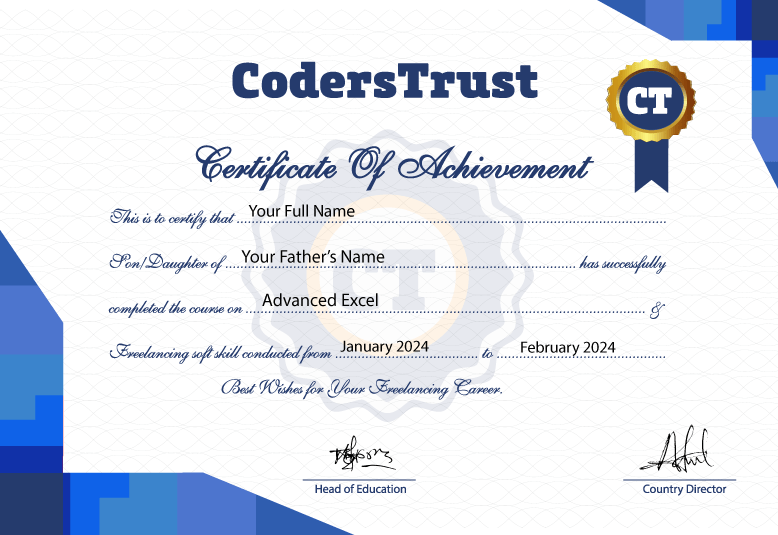
Yes, upon successfully completing the course, you will receive a certificate of completion that you can use to demonstrate your advanced Excel skills.
No, all course materials and exercises can be completed using Microsoft Excel (Office 365, Excel 2019, or Excel 2021). Google Sheets is also covered for cloud-based work.
We offer flexible learning options with on-campus and online classes. You can choose between weekday sessions (2 sessions per week, 3 hours each) or weekend sessions (1 session per week, 4 hours each).
We offer career support including interview preparation, portfolio-building guidance, and tips for job searching or freelancing.
You can easily enroll by visiting our website and selecting the course schedule that works for you. Payment options are available online, and our team is here to assist if you need help with the enrollment process.
Payment can be made securely through SSLCommerz or via mobile wallet options such as bKash and Rocket. Detailed instructions will be provided during the enrollment process.
Our support team is available 24/7 to assist you with any technical issues. You can reach out through our designated channels, and we will help resolve the issue promptly.
Feel free to reach out by emailing hello@coderstrustbd.com. Our team will respond within 24 hours to address your questions and provide assistance.

Innovating to Transform High-Potential Youth into Skilled Digital Workforce Worldwide
MENU
CONTACT
40 Wall Street, Suite 2004
New York 10005, USA
BSCIC Electronics Complex, Level-4,
Mirpur (11 No Bus Stand), Dhaka-1216
Bangladesh
SUBSCRIBE
Unsubscribe anytime
We Accept






Copyright © 2023 – 2026 CodersTrust | All Rights Reserved